Device settings


Base Station settings
Activate/deactivate siren
Turn the siren at the Base Station (Gateway) on or off.Activate/deactivate confirmation tone
If an alarm is delayed, a short beep sounds as an indicator until the alarm is triggered. This tone can be turned on or off here.Set delay time
Define how many seconds should pass between a sensor being triggered and the actual alarm – for devices using the “Delayed when” option.
(Example: You have X seconds to open the door and enter your code on the keypad before the alarm goes off.)
Contact Sensor settings
Active when
Immediately triggers an alarm when contact is detected – depending on the selected security mode (Inactive, At home, Active).Delayed when
Waits X seconds before triggering an alarm – also depending on the selected security mode (Inactive, At home, Active).


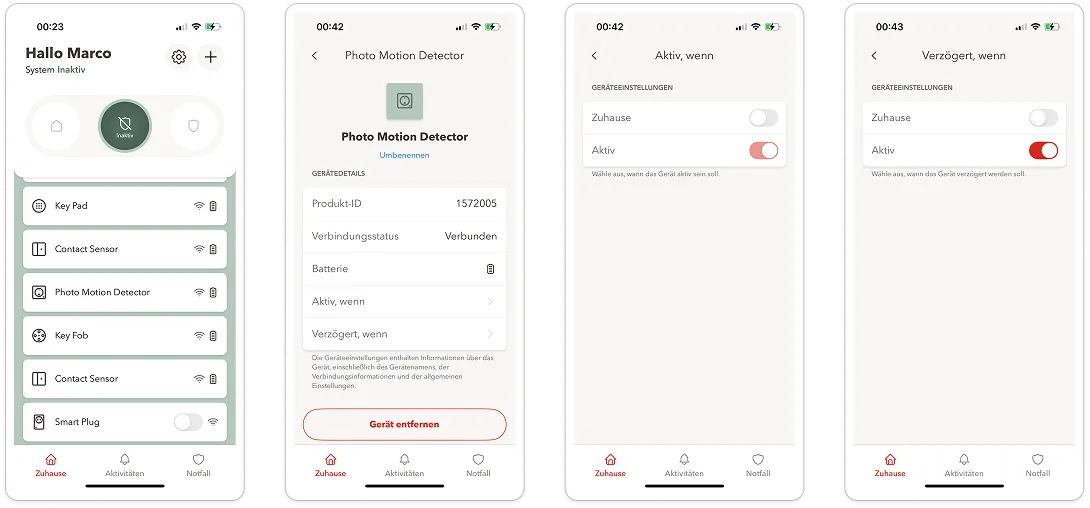
Photo Motion Detector settings
Active when
Immediately triggers an alarm when motion is detected – depending on the security mode (Home, Away).Delayed when
Waits X seconds before triggering an alarm – depending on the security mode (Home, Away, Inactive).Photo transmission in case of alarm
When an alarm is triggered, the detector automatically sends a photo to all roommates added in the app.
In addition, an alert is sent to the emergency contacts.

Indoor Camera settings
Important: The indoor camera does not trigger an alarm. It only sends push notifications to the owner and all roommates – based on the “Active when” setting.
“Active when” = Inactive
If the setting is “Active when = Inactive”, a push notification is sent whenever motion is detected – e.g., when someone walks past the camera.Motion sensitivity
Controls how sensitively the camera reacts to general movement.Person detection sensitivity (1–5)
The lower the value, the less sensitive the camera is to people.Enable smart person detection
When activated, the camera only detects real people – not animals, robot vacuums, vehicles, or other movements.


Outdoor Camera settings
Important: The outdoor camera does not trigger an alarm. It only sends push notifications to the owner and all roommates – based on the “Active when” setting.
“Active when” = Inactive
If the setting is “Active when = Inactive”, a push notification is sent whenever motion is detected – e.g., when someone walks past the camera.Motion sensitivity
Controls how sensitively the camera reacts to general movement.Person detection sensitivity (1–5)
The lower the value, the less sensitive the camera is to people.Enable smart person detection
When activated, the camera only detects real people – not animals, robot vacuums, vehicles, or other movements.

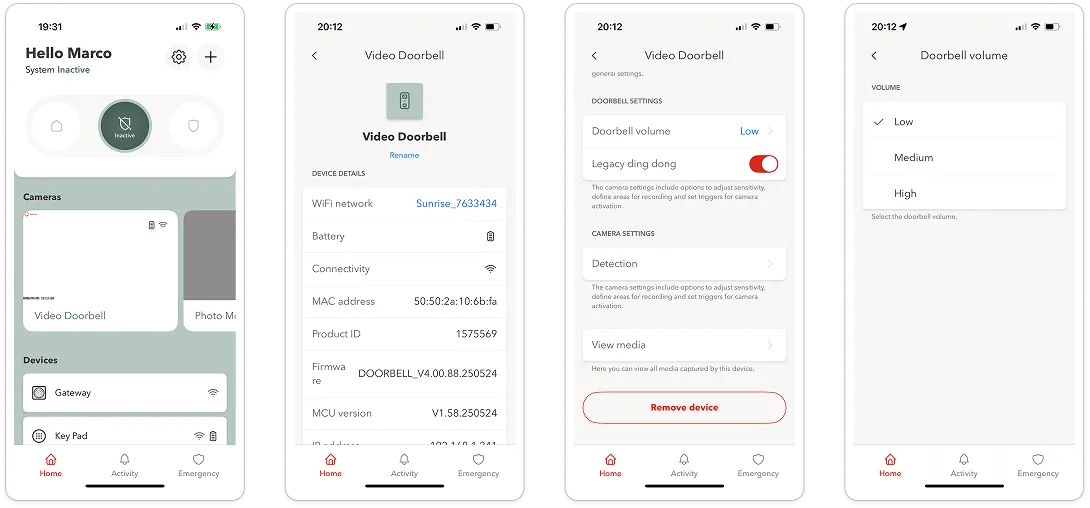
Video Doorbell settings
Chime sound
The doorbell sound is played via the included smart plug, which you plug into a power outlet.Notification
When someone rings the bell, a push notification is sent via the app.Camera with person detection
The built-in camera reliably detects people and ignores animals and vehicles (when smart person detection is enabled).Video recording
When someone rings the bell, a video of the person is recorded automatically.No alarm
The video doorbell does not trigger an alarm within the security system.